
Digital Drawing Guide: Techniques & Tools
Learn digital drawing basics, the techniques that improve digital painting fastest, and how to draw on a computer without downloading an app.
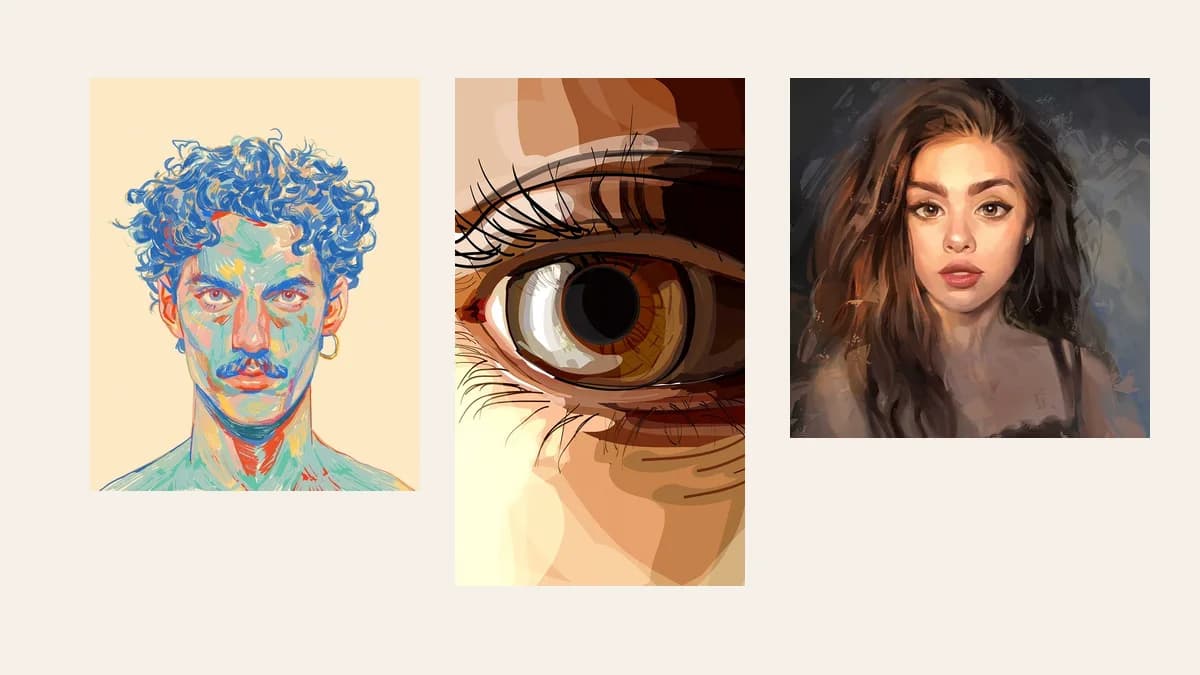
Digital drawing, explained simply
Digital drawing means creating artwork on a digital canvas using a tablet, stylus, drawing app, mouse, touchscreen, or AI-assisted workflow. It replaces paper with software, so you can use layers, undo, brushes, color palettes, export presets, and video formats.
The main benefit is speed and control. You can edit faster, test ideas faster, and publish in more formats than traditional paper workflows.
For creators, marketers, educators, and SaaS teams, digital drawing is not only about making art. It is also about making visuals that can become social posts, product demos, tutorials, ads, and speed painting videos.
What you need to start
You do not need an expensive setup. Start with the smallest stack that helps you finish and publish.
| Need | Simple choice | Best for |
|---|---|---|
| Drawing device | iPad, pen tablet, or touchscreen | Sketching and line control |
| Drawing app | Procreate, Krita, Photoshop, Fresco, Clip Studio Paint | Manual drawing |
| Static export | PNG or JPG | Blog images, portfolios, thumbnails |
| Video export | MP4 | Reels, TikTok, YouTube, website embeds |
| Faster process | Automated speed-paint generator | Turning finished images into drawing videos |
Best beginner rule: choose the tool based on the final output. A static portfolio image, a TikTok clip, and a client explainer do not need the same workflow. For a free manual drawing app, Krita is a solid starting point.
How to draw on a computer
You can draw on a computer with a mouse, a pen tablet, or a touchscreen, either in a free browser app or in installed software. A browser app needs no download; installed software gives you more brushes and better performance.
| Setup | Apps | Best for |
|---|---|---|
| Browser, no download | Kleki, Photopea | Quick sketches, school or work computers |
| Installed app | Krita, MediBang Paint | Full digital painting with layers and brushes |
| Pen tablet | Krita, Clip Studio Paint (paid) | Clean line art and pressure-sensitive strokes |
| Touchscreen laptop | Any app above | Drawing directly on the screen |
Drawing with a mouse works best with shapes and stabilization. Turn on stroke smoothing, build the image from big shapes, and use the lasso or shape tools for clean edges instead of freehand lines.
Digital painting techniques that improve your skills fastest
The fastest way to improve at digital painting is to work big-to-small: get values and shapes right in grayscale first, then add color, then detail. Most beginner art looks flat because color and detail arrive before the light and shapes work.
- Start in grayscale. Paint light and shadow in black, white, and gray, then add color on top with a Color or Overlay layer.
- Squint and check values. If the image still reads when blurred or shrunk to thumbnail size, the values are working.
- Use a limited palette. Three to five main colors plus their light and dark versions keep a painting coherent.
- Block in with big brushes. Switch to small brushes only for the last 10–20% of the work.
- Flip the canvas often. A horizontal flip reveals proportion and perspective errors your eyes have stopped noticing.
- Paint from references. Use photos for lighting, anatomy, and materials instead of guessing.
- Keep layers simple. Use separate layers for sketch, line art, flat color, shadow, and highlights, and clipping masks to paint inside shapes.
For practice, short daily studies beat occasional long sessions. Try 20–30 minutes a day of value studies, color studies from photos, or copying a master painting, and compare each week's results with the previous week's.
A faster digital drawing workflow
Use this simple five-step flow:
- Pick the output first. Use vertical for short-form video, square for feeds, and 16:9 for blogs, YouTube, and presentations.
- Block the big shapes. Make the image readable before adding details.
- Create clean line art. Keep the main contours stronger than small interior lines.
- Add color in layers. Separate flat color, shadow, highlight, and texture.
- Export for the channel. Use JPG/PNG for static images and MP4 for motion.
Clean line art matters most when the final asset becomes a video. Viewers should understand the drawing while it is still in the sketch phase.
How to speed up digital drawing
If you draw manually, keep the workflow light:
- Use templates for canvas sizes, guides, and export settings.
- Limit your brush set instead of testing hundreds of brushes.
- Name layers clearly: sketch, line, flat color, shadow, highlight.
- Record only when useful; not every drawing session needs a timelapse.
- Reuse proven settings for repeat social or blog formats.
If you already have a finished image, the fastest route is different. Do not redraw the whole image just to create a process video. Upload it to SpeedPainter, choose a sketch duration and color-fill duration, and generate the video automatically.
Draw manually when the artwork itself is the job. Use automation when the finished image already exists and the missing asset is a process-style video.
Digital drawing vs. speed painting video
Digital drawing is the creation method. Speed painting is the presentation format.
A speed painting video compresses the process into a short reveal: sketch first, color second, final image last. It is useful because motion gives a static image a stronger hook.
| Format | Use it when | Main downside |
|---|---|---|
| Static artwork | You only need the final artwork | No process or reveal |
| Manual timelapse | You want to show real craft | Slow to record and edit |
| Automated speed-paint video | You need fast process-style content | Less manual control |
| Full tutorial | You need to teach decisions step by step | Longest to produce |
If the goal is attention, a line-first reveal is often stronger than a static image.
When to turn digital drawing into video
Turn artwork into video when the process helps the viewer understand or care about the final image.
Good use cases:
- Social media hooks for Reels, TikTok, and Shorts.
- Portfolio process clips that make finished art feel more crafted.
- Product and poster reveals for landing pages or ads.
- Education visuals where structure builds step by step.
- Client previews that feel more polished than a still image.
Do not convert everything. Use video only when movement adds clarity, proof, or attention.
Convert an image to a hand-drawn video
Manual method:
- Import the image into drawing software.
- Trace or redraw the line art.
- Add colors and details.
- Record or export a timelapse.
- Edit, brand, and export MP4.
Fast method:
- Upload the finished image to SpeedPainter.
- Set sketch duration to 30 seconds.
- Set color-fill duration to 30 seconds.
- Keep watermark branding enabled for a branded preview.
- Download the MP4.
That is the workflow used in all three examples in this guide.
Common mistakes
Avoid these beginner traps:
- Starting with details too early.
- Drawing everything on one layer.
- Using too many colors before the values work.
- Recording every session even when the process is not useful.
- Exporting huge files that slow down pages.
The better approach is simple: make the image clear, keep the workflow repeatable, and export only what the channel needs.
Frequently Asked Questions
What does digital drawing mean?
Digital drawing means creating artwork with digital tools instead of paper. You draw on a digital canvas using software, layers, brushes, and export settings. It can be fully manual, AI-assisted, or part of an image-to-video workflow.
How do I start digital drawing as a beginner?
Start with one app, one device, and one simple workflow: sketch, line art, flat color, shadow, export. Do not start by collecting brushes. Finish small projects first, then improve one part of the workflow at a time.
What are the best techniques to improve digital art skills?
Paint values in grayscale before adding color, use a limited palette, block in with big brushes before adding detail, flip the canvas to catch errors, and paint from references. Practice with short daily studies instead of occasional long sessions.
What apps can I use to draw on my computer without downloading?
Browser-based apps such as Kleki and Photopea run in Chrome, Edge, Safari, or Firefox with no install. They work with a mouse, trackpad, pen tablet, or touchscreen. For a full installed app, Krita is free on Windows, macOS, and Linux.
Can I do digital art on a laptop without a drawing tablet?
Yes. Use a mouse or trackpad with stroke smoothing turned on, build images from big shapes, and use shape and lasso tools for clean edges. A touchscreen laptop with a pen, or an inexpensive USB pen tablet, makes line work much easier.
What is the fastest way to make a digital drawing video?
The fastest way is to start from a finished image and use an automated speed-paint generator. Upload the image, choose sketch and color-fill durations, then export the MP4. Use manual recording only when you need full process control.
Can I turn a photo into a digital drawing online?
Yes. You can use online tools to create sketch, drawing, or speed-paint effects from a photo. For a process-style video, SpeedPainter converts an uploaded image into a hand-drawn reveal with configurable sketch and coloring phases.
Final takeaway
Digital drawing is both a creative method and a publishing workflow. Keep the manual process simple, automate repeatable presentation work, and export for the channel.
Already have a finished image? Try a 30-second sketch + 30-second color reveal in SpeedPainter, or compare credit needs on the pricing page.
Related Posts
AI Halloween Costume Video From One Photo
Make an AI Halloween costume on your photo, then turn it into a hand-drawn reveal for TikTok or Reels. Tools, 4 steps, settings and credit cost explained.
SpeedPainter AI Beginner Guide
Turn any image into a hand-drawn speed paint video with SpeedPainter AI. Step-by-step setup, the best image and settings to pick, aspect ratios, and credits explained.
What Is Speed Paint? Meaning and Examples
Speed paint explained: what it means, how it differs from time-lapse art, the tools artists use, and how to make a speed painting video by recording or with AI.