
AI Halloween Costume Video From One Photo
Make an AI Halloween costume on your photo, then turn it into a hand-drawn reveal for TikTok or Reels. Tools, 4 steps, settings and credit cost explained.
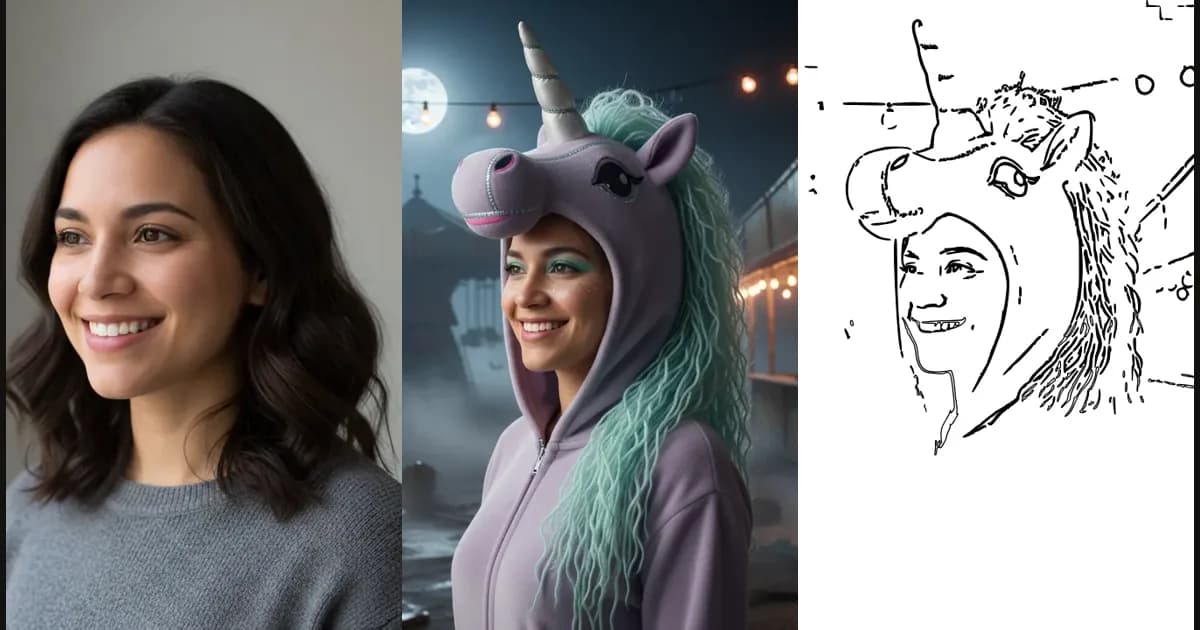
An AI Halloween costume video takes two tools: one that puts the costume on your photo, and one that turns that photo into a video. SpeedPainter does the second part. It does not dress you up. Generate the look first with an AI costume try-on tool, download the still image, then upload it to SpeedPainter and get a hand-drawn reveal: the outline sketches itself, then the colors fill in.
The result is a 10 to 20 second clip that shows the "before you were a vampire" moment as a drawing, which works better on TikTok, Reels and Shorts than a static portrait. This guide covers which costume tool to use, the 4 steps, the settings for vertical video, and what it costs in credits.
What is an AI Halloween costume video?
It is a short clip where an AI-generated costume photo is revealed as a drawing, line by line, then in color. The costume comes from an image model that keeps your face and changes the outfit, hair and scene. The video comes from a speed-paint generator that animates that finished image.
| Part | What it does | Output |
|---|---|---|
| Costume try-on tool | Puts a Halloween look on your selfie, couple photo, kid or pet | Still image (JPG/PNG/WebP) |
| SpeedPainter | Turns the still image into a hand-drawn reveal | MP4 video |
| TikTok, Reels or Shorts | Hosts the clip, adds music and text | Your post |
You can't skip the first step with SpeedPainter alone: it animates the image you give it and does not change what is in the picture.
Which AI Halloween costume generator should you use?
Pick the costume tool by the look you want: a classic costume set, or a costume built around one trend. Both tools below take one photo and return a still image you can download, which is what SpeedPainter needs as input.
- For witch, vampire, pet and couple looks: AI Halloween Costume Generator lets you try original costume looks on your own photo. It has 12 looks filtered by selfie, couple, pet and kids (for example Velvet Vampire, Forest Witch and Pumpkin Pet), shows the prompt behind each look, and accepts JPG, PNG, WebP or HEIC up to 20 MB.
- For the Buddy trend: Buddy the Unicorn Halloween look generator turns a selfie, pet or couple photo into one of 24 original haunted-unicorn looks. It is an unofficial fan site, so the looks are new creatures inspired by the trend rather than copies of the film's character, and the page also explains who Buddy is and where to watch the 2026 film.
| AIHalloweenCostume.net | BuddyTheUnicorn.org | |
|---|---|---|
| Best for | Classic costumes: witch, vampire, robot, pet | The 2026 haunted-unicorn trend |
| Looks | 12 | 24 |
| Input | 1 photo: person, couple, kid or pet | 1 photo: selfie, pet or couple |
| Output | Still image to download | Still image (finished portrait) |
| Free to try | 1 free look after sign-in | 1 free look for a new account |
Checked on both sites on 2026-10-21. Paid packs and limits can change, so check each site's pricing page.
How to make an AI Halloween costume video in 4 steps
Make the costume image, check it, animate it in SpeedPainter, then post it vertically. Each step has a tool built for it:
| Step | What you do | Tool |
|---|---|---|
| 1 | Put the costume on your photo | AIHalloweenCostume.net or BuddyTheUnicorn.org |
| 2 | Sharpen a small or soft image | Monipix |
| 3 | Turn the image into a hand-drawn reveal | SpeedPainter |
| 4 | Upscale any phone footage you post with it | VideoUpscaler |
Step 1: Create the costume on your photo
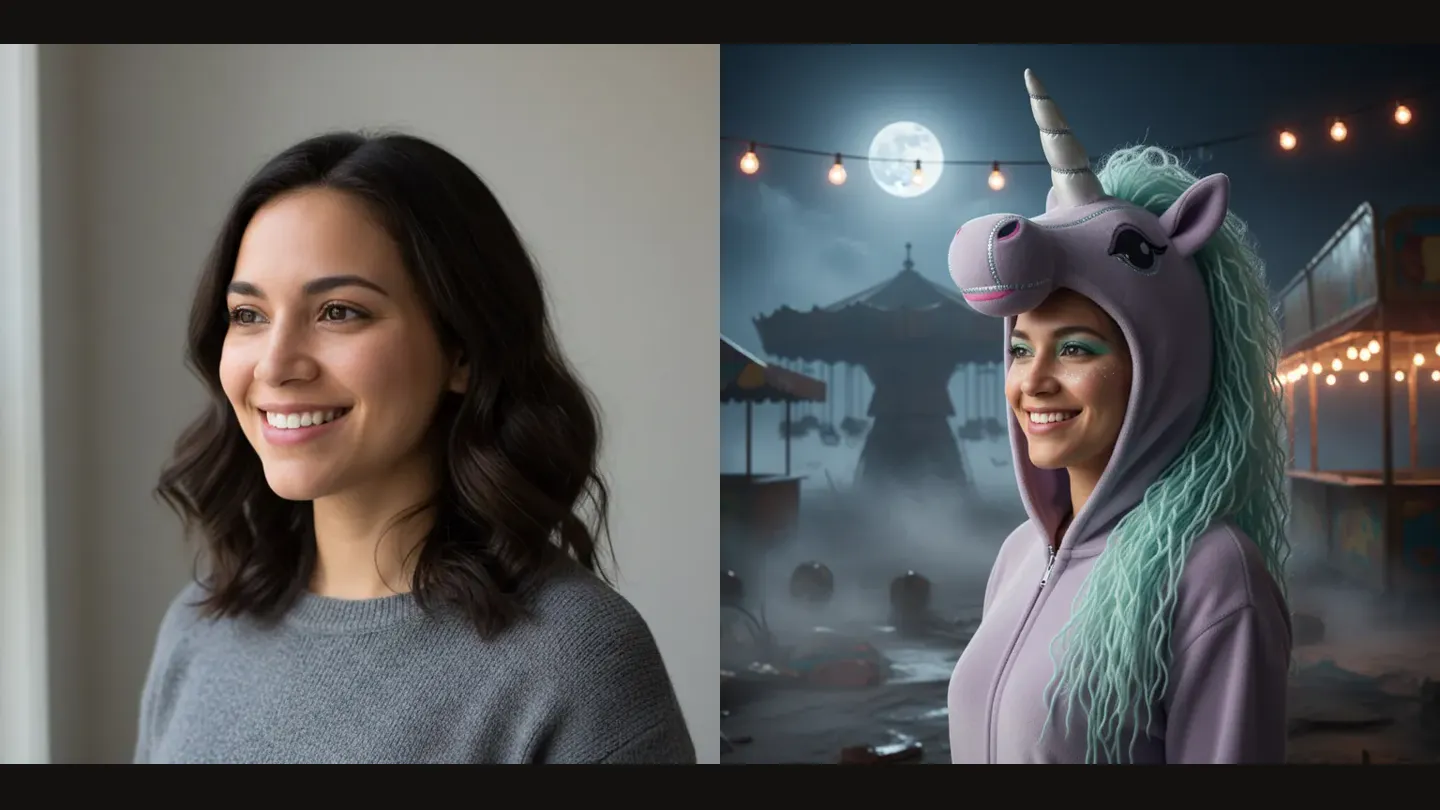
Upload a clear, front-facing photo to one of the costume tools above and pick a look. Good light and a visible face give the image model the most to work with, and they also give the drawing a cleaner outline later. Download the finished image file.
Step 2: Check the image before you animate it
A busy background turns into a busy sketch. The line-art phase traces every strong edge, so string lights, candles and fog become extra lines. If two looks are close, choose the one with a simpler background and a clear subject.
Check the size too. If the image is small or looks soft when you zoom in, run it through the Monipix AI image upscaler first. It enlarges a JPG, PNG, WebP or HEIC photo to 2K, 4K or more and sharpens edges, and a sharper source gives the sketch cleaner outlines.
Step 3: Turn the costume image into a speed paint
- Open SpeedPainter and upload the image.
- Set the sketch time and the color time. 5 + 5 seconds is a good start; each phase can run from 1 second up to 5 minutes.
- Choose 9:16 for TikTok, Reels and Shorts, or 1:1 for a feed post.
- Pick a drawing-hand style, or turn the hand off for a clean stroke-only look.
- Generate, then download the MP4.
Step 4: Post it with the before and after
Put the original photo in the first second, then let the drawing play. A caption like "I asked AI for a Halloween costume, then made it draw itself" tells viewers what they are looking at. Add the trending sound in the app, not in SpeedPainter.
If you cut the reveal together with a real clip of you in costume, that night-time phone footage is often dark and soft next to a crisp drawing. Upscale it to 1080p, 2K or 4K with the VideoUpscaler AI video upscaler (MP4, MOV, MKV or WebM up to 500 MB) so both parts of the post look equally sharp.
| Example | Costume look | Sketch | Color | Length | Credits |
|---|---|---|---|---|---|
| Haunted unicorn | Moonlit haunted unicorn | 5 s | 5 s | 10 s | 10 |
| Vampire | Velvet vampire | 5 s | 5 s | 10 s | 10 |
What settings work best for TikTok and Reels?
Use 9:16, keep the clip between 10 and 20 seconds, and give the color phase as much time as the sketch. Short clips loop more often, and the color fill is the payoff, so don't rush it.
| Setting | Recommended | Why |
|---|---|---|
| Aspect ratio | 9:16 | Full-screen on TikTok, Reels and Shorts |
| Sketch time | 5–8 s | Long enough to see the outline form |
| Color time | 5–8 s | The reveal people wait for |
| Drawing hand | On for "made by hand" feel, off for a clean look | Personal taste |
| Output quality | 1080p | Sharp on a phone screen; 4K output is listed on paid plans |
If your costume image is square, 9:16 crops the sides. Keep the face in the middle third of the photo so it survives the crop.
How much does an AI Halloween costume video cost?
On SpeedPainter, 1 credit = 1 second of video, so a 10-second reveal costs 10 credits. New accounts get 10 credits when they sign up, which is enough for one 5 + 5 second test. The costume tools each give 1 free look to a new account, so your first video can cost nothing.
For more clips, compare monthly credit allowances on the pricing page. Credits are spent per second of video you generate, not per upload.
Common mistakes with AI costume videos
- Uploading a screenshot instead of the downloaded file. Screenshots add UI and blur. Use the original image file.
- Faces at the edge of the frame. A vertical crop can cut them off.
- Very long sketch phases. Past about 10 seconds, most viewers scroll before the color arrives.
- Using other people's photos without asking. Both costume tools ask you to upload only your own photos or photos of people who agreed.
- Calling a fan look "official". Buddy looks made with an AI tool are fan art, not the film's character.
Frequently Asked Questions
Can SpeedPainter make the costume for me?
No. SpeedPainter animates an image you already have; it does not change clothes or faces. Make the costume with a try-on tool such as AIHalloweenCostume.net or BuddyTheUnicorn.org, then upload the result to SpeedPainter.
How long should a Halloween costume video be for TikTok?
10 to 20 seconds works well. A 5-second sketch plus a 5-second color phase gives a 10-second clip that loops cleanly.
Can I turn a pet costume photo into a drawing video?
Yes. Both costume tools accept pet photos, and SpeedPainter animates any clear image, including pets. A plain background gives the cleanest outline.
Is the Buddy the Unicorn look the official character?
No. BuddyTheUnicorn.org is an unofficial fan site, and its haunted-unicorn looks are original designs inspired by the trend, not the character from the film.
What file should I upload to SpeedPainter?
Upload the downloaded JPG or PNG from the costume tool, not a screenshot. Square images work; choose 9:16 if you want a vertical video.
Final takeaway
Make the look on your photo with AI Halloween Costume Generator for classic costumes, or the Buddy the Unicorn Halloween look generator for the haunted-unicorn trend. Then turn that image into a 10-second hand-drawn reveal in SpeedPainter. New to the tool? Start with the SpeedPainter setup guide.
Related Posts
Digital Drawing Guide: Techniques & Tools
Learn digital drawing basics, the techniques that improve digital painting fastest, and how to draw on a computer without downloading an app.
SpeedPainter AI Beginner Guide
Turn any image into a hand-drawn speed paint video with SpeedPainter AI. Step-by-step setup, the best image and settings to pick, aspect ratios, and credits explained.
What Is Speed Paint? Meaning and Examples
Speed paint explained: what it means, how it differs from time-lapse art, the tools artists use, and how to make a speed painting video by recording or with AI.